About Dan: I'm a computational data journalist and programmer currently living in Chicago. Previously, I was a visiting professor at the Computational Journalism Lab at Stanford University. I advocate the use of programming and computational thinking to expand the scale and depth of storytelling and accountability journalism. Previously, I was a news application developer for the investigative newsroom, ProPublica, where I built ProPublica's first and, even to this day, some of its most popular data projects.
You can follow me on Twitter at @dancow and on Github at dannguyen. My old WordPress blog and homepage are at: http://danwin.com.
The two hardest problems in obituaries
While researching the data of death, I’ve found it easy to identify the similarities between the computational and humanistic approaches in quantifying death.
RevisitingPhil Karlton’s famous observation about computer science:
There are only two hard things in Computer Science: cache invalidation and naming things.
– we can find examples of how naming things and cache invalidation are also hard problems for coroners and obituary writers:
Naming things: The New York Times found that accidental shooting deaths of children likely occur at twice the rate indicated by public records, because of how inconsistently authorities classify accidents versus homicides. And in the real of “regular” homicides, cities have been known to overreport “justifiable homicides” to reduce the homicide rate that is reported to the FBI.
Cache invalidation: Despite the fact that the Times had prepped 4,700 words of obit material for Justice Antonin Scalia 2 years ago, it took the Times more than an hour to post online a full obituary “because of the need for updates”. And even then, the obit didn’t make into East Coast print copies the next day.
The Times had also prepared for the event of Steve Jobs’s death, which allowed it to post 3,500 words within an hour of the official announcement. The beginning of that obituary began in 2007, 4 years prior.
Here’s is a glimpse of the kind of content cached for an obituary:
Steven P. Jobs, a child of Silicon Valley and a college dropout who reshaped the world’s culture around personal computing and digital media, died X and the age of X. The cause of death was X according to X.
PEP 495 and the hardest problem in computer science
One of my favorite parts about Python is how we can get insight to the language’s evolution through the Python Enhancement Proposals. Rather than having to dig through mailing list archives, debates over new features and changes are conveniently summarized and updated as web pages.
PEP8 is a must-read for generalists and newcomers, as is PEP 3009, titled Things That Will Not Change in Python 3000. But many of the specific feature changes contain general programming wisdom.
For example, PEP 0495 – Local Time Disambiguation, is a great reminder of how difficult time is, in human and computational terms. This particular PEP will be implemented in Python 3.6 and concerns adding a new attribute called fold to the datetime.time and datetime.time classes.
What is fold? In timezones that use Daylight Savings Time – i.e. when a day “jumps back” an hour – the times between 1 and 2 AM technically happen twice. The fold attribute is, by default, set to 0. But when it is set to 1, it means that the datetime object represents the second occurrence of a time, e.g. 1:30AM after the jump back has happened.
Why call it “fold”, rather than something that sounds specifically related to Daylight Savings Time? The genericness of the name is intended:
Suggested by Guido van Rossum and favored by one (but initially disfavored by another) author. A consensus was reached after the allowed values for the attribute were changed from False/True to 0/1. The noun “fold” has correct connotations and easy mnemonic rules, but at the same time does not invite unbased assumptions.
The non-technical example is very helpful in showing how describing “fold” in terms of DST is inherently confusing:
Alice: Bob - let’s have a stargazing party at 01:30 AM tomorrow! Bob: Should I presume initially that Daylight Saving Time is or is not in effect for the specified time? Alice: Huh?
And here’s the same discussion, except with the matter simplified as “first or second?”:
Bob: Alice - let’s have a stargazing party at 01:30 AM tomorrow! Alice: You know, Bob, 01:30 AM will happen twice tomorrow. Which time do you have in mind? Bob: I did not think about it, but let’s pick the first.
The entire discussion of what fold should be called, what values it should have, and what its default value should be – plus, how it would interpolate with all < 3.6 versions of datetime – is a very readable discussion about how to properly name things in the least confusing way. And yet, it will still be confusing, because of how complicated time is in general, and of how humans interpret words.
Hence, why “naming things” is rightly considered one of the two hardest problems in computer science.
Using Python 3's pathlib module for common file operations
tl;dr
Check out the pathlib module – made standard in Python 3.4 – for an object-oriented approach to common file tasks:
Traditional way of downloading (well, with Requests), unzipping, and globbing through a file folder:
from glob import glob
from os import makedirs
from os.path import basename, join
from shutil import unpack_archive
import requests
# pretend DATA_URL could point to an archive file URL only known at runtime
# i.e. we don't know if it's a zip, gz, etc., which is why we use
# unpack_archive instead of ZipFile
DATA_URL = 'http://stash.compciv.org/ssa_baby_names/names.zip'
DATA_DIR = join('/', 'tmp', 'pathto', 'stuff')
ZIP_FNAME = join(DATA_DIR, basename(DATA_URL))
makedirs(DATA_DIR, exist_ok=True)
print('Downloading', DATA_URL)
resp = requests.get(DATA_URL)
with open(ZIP_FNAME, 'wb') as wf:
    print("Saving to", ZIP_FNAME)
    wf.write(resp.content)

unpack_archive(ZIP_FNAME, extract_dir=DATA_DIR)
for fname in glob(join(DATA_DIR,  '*.txt')):
    with open(fname, 'r') as rf:
        print(fname, rf.read())
Using pathlib, which provides a Path object that has basename, joinpath, glob, and read_text, and write_bytes methods.
from pathlib import Path
from shutil import unpack_archive
import requests

DATA_URL = 'http://stash.compciv.org/ssa_baby_names/names.zip'
DATA_DIR = Path('/', 'tmp', 'pathto', 'stuff')
DATA_DIR.mkdir(exist_ok=True, parents=True)
ZIP_FNAME = DATA_DIR.joinpath(Path(DATA_URL).name)

print('Downloading', DATA_URL)
resp = requests.get(DATA_URL)
print("Saving to", ZIP_FNAME)
ZIP_FNAME.write_bytes(resp.content)

unpack_archive(str(ZIP_FNAME), extract_dir=str(DATA_DIR))
for fpath in DATA_DIR.glob('*.txt'):
    print(fpath, fpath.read_text())
The importance of learning file operations
For my computational journalism courses at Stanford, I’ve made students work through the code needed to handle not just analyzing data files, but downloading and organizing them. This is based on my own experience of how widescale data collection can quickly go to shit if you can’t jigger together an automated, reproducible way of fetching and saving files. But I’m also motivated to show students that nothing magical happens when we enter Programming-Land: the file you download goes exactly where you tell your program to download it, whether your program is a web browser or a Python script you’ve written yourself.
(From my anecdotal observation, students seem to be increasingly ignorant of how file downloads in the browser even work – and who can blame them, with the way iOS has made the file system a magic black box? But that’s a whole other topic…)
Regardless of the value of being able to programmatically manage files, knowing how to do it is still good general practice for programming, as it involves all the fundamentals, including conditionals and control flow, as well as importing libraries.
I even wrote an 8-part lesson just on how to download, unzip, and read through a nested file list: Extracting and Reading Shakespeare - Practicing the ins-and-outs of managing files and reading through them, featuring the works of Shakespeare.
The first lesson is: How to create a directory idempotently with makedirs() – which simply asks the student to write a program that creates a directory.
In Python 3’s os module, there’s the makedirs method:
import os
os.makedirs("mynewdirectory")
To make this call not throw an error if the directory already exists, we specify True for the optional exists_ok argument:
import os
os.makedirs("mynewdirectory", exists_ok=True)
By the final lesson, Counting the non-blank-lines in Shakespeare’s tragedies, the student is expected to glob a list of filenames and iterate through them to open each file (as well as use PEP8-approved import syntax):
(…though at this early stage in the curriculum, I’ve avoided the introduction of file handling via context managers and its extra with syntax)
from os.path import join
from glob import glob
filepattern = join('tempdata', '**', '*')
filenames = glob(filepattern)

for fname in filenames:
    txtfile = open(fname, 'r')
    for line in txtfile:
        # ...etc
    txtfile.close()
Later on in the curriculum, this file management code can become quite verbose. The following code comes from an exercise titled, Download all of the baby names data from the Social Security Administration:
import requests
from os import makedirs
from os.path import join
from shutil import unpack_archive
from glob import glob
SOURCE_URL = 'https://www.ssa.gov/oact/babynames/names.zip'
DATA_DIR = 'tempdata'
DATA_ZIP_PATH = join(DATA_DIR, 'names.zip')
# make the directory
makedirs(DATA_DIR, exist_ok=True)

print("Downloading", SOURCE_URL)
resp = requests.get(SOURCE_URL)

with open(DATA_ZIP_PATH, 'wb') as f:
    f.write(resp.content)

unpack_archive(DATA_ZIP_PATH, extract_dir=DATA_DIR)
babynamefilenames = glob(join(DATA_DIR, '*.txt'))
print("There are", len(babyfilenames), 'txt files')
I don’t mind making students write lots of code, because that’s what they need the most practice with early on. But there’s a case to be made that that such code is so lengthy that it hinders cognitive understanding. Coming from Ruby-land, I have always longed for the elegance of its Pathname module.
But just recently, I discovered PEP 428: The pathlib module – object-oriented filesystem paths, which reduces the number of modules (particularly os and os.path) needed to do OS-agnostic file handling.
Here’s the traditional way of creating a new file (including its parent directory):
from os import makedirs
from os.path import join
mydir = join('myfiles', 'docs')
myfname = join(mydir, 'readme.txt')
makedirs(mydir, exist_ok=True)
with open(myfname, 'w') as wf:
    wf.write("Hello world")
Here’s the same process using the pathlib.Path type:
from pathlib import Path
mydir = Path('myfiles', 'docs')
mydir.mkdir(exist_ok=True, parents=True)
myfname = mydir.joinpath('readme.txt')
with myfname.open('w') as wf:
    wf.write("Hello world")
The Path type also has convenience methods for reading and writing for those many situations in which you don’t need to handle files via streaming I/O:
from pathlib import Path
myfname = Path('myfile.txt')
myfname.write_text("Hi there")
print(myfname.read_text())
And there are additional conveniences for path segment handling:
from pathlib import Path
URL = 'http://www.example.com/hello/world/stuff.html'
# save to /tmp/stuff.bak
fname = Path("/tmp").joinpath(Path(URL).stem + '.bak')
Compared to:
from os.path import basename, join, splitext
URL = 'http://www.example.com/hello/world/stuff.html'
fname =  join("/tmp", splitext(basename(URL))[0] + '.bak')
It’s not a huge change in number of lines of code, but you only have to look in the pathlib documentation to figure out what you need, rather than both os and os.path.
I’ll be using pathlib for all of my personal Python programming. That said, I’m not sure if I’ll use pathlib for teaching beginners. For example, what I like about os.path.join is that its arguments are strings and its return value is a string. Novice programmers struggle with realizing how straightforward a file path is – it’s just a string, and if you pass in a typo, your program isn’t going to magically know where you intended a file to be.
The Path type is a thin layer over filepath strings…but until you actually understand what object-oriented programming is, Path('hey', 'there').write_text('yo') is going to feel very magical. Having to define filenames as strings, then open them, and then read them – all as discrete operations – is perhaps verbose in comparison, but it helps to connect beginners to the realities of computing, i.e. a file isn’t just magically read into memory, instantaneously.
And there’s also the issue that high-level methods that expect a file path to be a string won’t know how to deal with Path-type objects – while delivering a cryptic error message to boot:
from shutil import unpack_archive
unpack_archive(Path('example.zip'))
    930     for name, info in _UNPACK_FORMATS.items():
    931         for extension in info[0]:
--> 932             if filename.endswith(extension):
    933                 return name
    934     return None

AttributeError: 'PosixPath' object has no attribute 'endswith'
Teaching tip: My use of os.path.join might seem like unnecessary overhead, as in, why write all of this:
from os.path import join
from glob import glob
my_datadir = join('mydata', 'cleaned')
my_filenames = glob(join('mydata', 'cleaned', '*.csv'))
– when we can write this:
from glob import glob
my_datadir = 'mydata/cleaned/'
my_filenames = glob(my_datadir + '*.csv'))
Well, the main reason is that being a OS X person, I’m not sure how those examples behave on Windows’s file system – and even if they do work, it’s still incredibly confusing to beginners who don’t understand the basics of OS filesystems (not everyone knows what a “directory “ is) and are wondering why my examples have 'my/path/to/file' when their OS has paths that look like 'my\\path\\to\\file'.
Also, creating paths via string concatenation is somewhat restricting when you’re dynamically generating paths in an automated loop.
And of course, when manually typing out paths, there’s the huge risk of human error. Spot the typo below:
from glob import glob
my_datadir = 'mydata/cleaned'
my_filenames = glob(my_datadir + '*.csv'))
The difficulties of moving from Python to R
This post is in response to: Python, Machine Learning, and Language Wars, by Sebastian Raschka
As someone who’s switched from Ruby to Python (because the latter is far easier to teach, IMO) and who has also put significant time into learning R just to use ggplot2, I was really surprised at the lack of relevant Google results for “switching from python to r” – or similarly phrased queries. In fact, that particular query will bring up more results for R to Python , e.g. “Python Displacing R as The Programming Language For Data”. The use of R is so ubiquitous in academia (and in the wild, ggplot2 tends to wow nearly on the same level as D3) that I had just assumed there were a fair number of Python/Ruby developers who have tried jumping into R. But there aren’t…minimaxir’s guides are the most and only comprehensive how-to-do-R-as-written-by-an-outsider guides I’ve seen on the web.
By and far, the most common shift seems to be that of Raschka’s – going from R to Python:
Well, I guess it’s no big secret that I was an R person once. I even wrote a book about it… So, how can I summarize my feelings about R? I am not exactly sure where this quote is comes from – I picked it up from someone somewhere some time ago – but it is great for explaining the difference between R and Python: “R is a programming language developed by statisticians for statisticians; Python was developed by a computer scientist, and it can be used by programmers to apply statistical techniques.” Part of the message is that both R and Python are similarly capable for “data science” tasks, however, the Python syntax simply feels more natural to me – it’s a personal taste.
That said, one of the things I’ve appreciated about R is how it “just works”…I usually install R through Homebrew, but installing RStudio via point and click is also straightforward. I can see why that’s a huge appeal for both beginners and people who want to do computation but not necessarily become developers. Hell, I’ve been struggling for what feels like months to do just the most rudimentary GIS work in Python 3. But in just a couple weeks of learning R – and leveraging however it manages to package GDAL and all its other geospatial dependencies with rgdal – been able to create some decent geospatial visualizations (and queries):
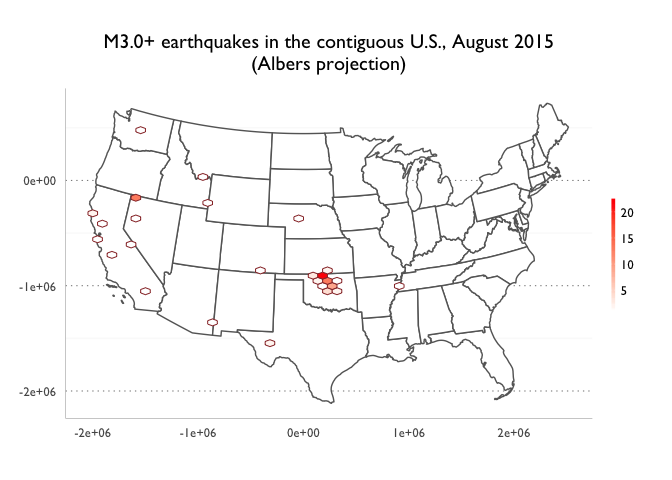
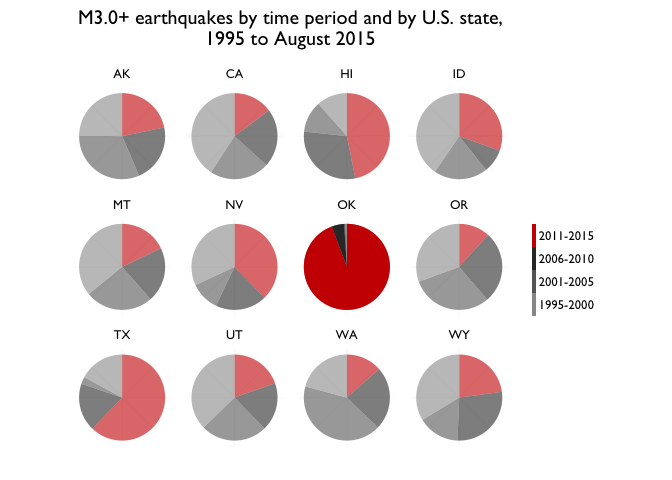
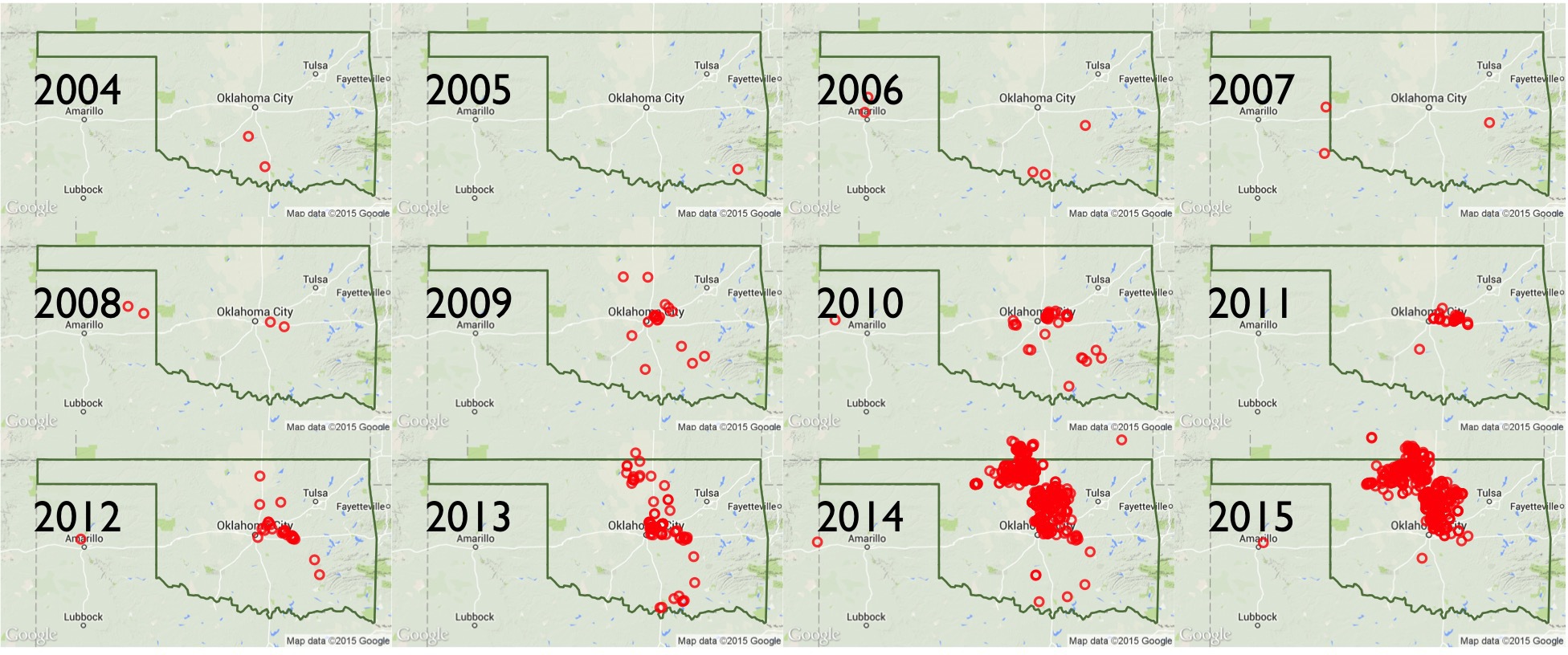
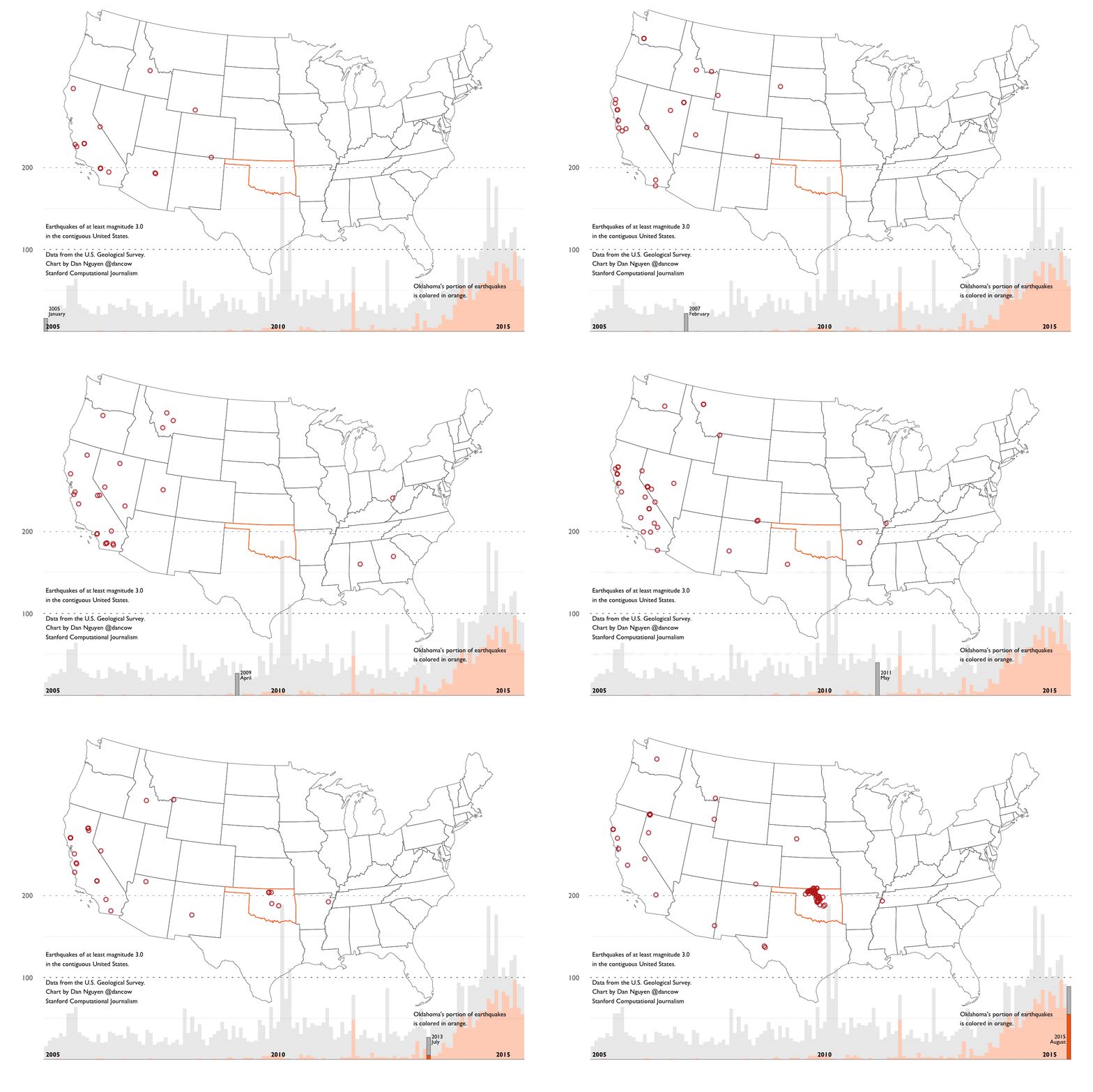
I’m actually enjoying plotting with Matplotlib and seaborn, but it’s hard to beat the elegance of ggplot2 – it’s worth learning R just to be able to read and better understand Wickham’s ggplot2 book and its explanation of the “Grammar of Graphics”. And there’s nothing else quite like ggmap in other languages.
Also, I used to hate how <- was used for assignment. Now, that’s one of the things I miss most about using R. I’ve grown up with single-equals-sign assignment in every other language I’ve learned, but after having to teach some programming…the difference between == and = is a common and often hugely stumping error for beginners. Not only that, they have trouble remembering how assignment even works, even for basic variable assignment…I’ve come to realize that I’ve programmed so long that I immediately recognize the pattern, but that can’t possibly be the case for novices, who if they’ve taken general math classes, have never seen the equals sign that way. The <- operator makes a lot more sense…though I would have never thought that if hadn’t read Hadley Wickham’s style guide.
Speaking of Wickham’s style guide, one thing I wish I had done at the very early stages of learning R is to have read Wickham’s Advanced R book – which is free online (and contains the style guide). Not only is it just a great read for any programmer, like everything Wickham writes, it is not at all an “advanced” book if you are coming from another language. It goes over the fundamentals of how the language is designed. For example, one major pain point for me was not realizing that R does not have scalars – things that appear to be scalars happen to be vectors of length one. This is something Wickham’s book mentions in its Data structures chapter.
Another vital and easy-to-read chapter: Wickham’s explanation of R’s non-standard evaluation has totally illuminated to me why a programmer of Wickham’s caliber enjoys building in R, but why I would find it infuriating to teach R versus Python to beginners.
(Here’s another negative take on non-standard evaluation, by an R-using statistician)
FWIW, Wickham has posted a repo attempting to chart and analyze various trends and metrics about R and Python usage. I won’t be that methodical; on Reddit, r/Python seems to be by far the biggest programming subreddit. At the time of writing, it has 122,690 readers. By comparison, r/ruby and r/javascript have 31,200 and 82,825 subscribers, respectively. The R-focused subreddit, r/rstats, currently has 8,500 subscribers.
The Python community is so active on Reddit that it has its own learners subreddit – r/learnpython – with 54,300 subscribers.
From anecdotal observations, I don’t think Python shows much sign of diminishing popularity on Hacker News, either. Not just because Python-language specific posts keep making the front page, but because of the general increased interest in artificial intelligence, coinciding with Google’s recent release of TensorFlow, which they’ve even quickly ported to Python 3.x.
(This is a partial repost of my comment in a HN discussion.)
Technology enables abusive "monsters", re: Jeff Atwood
re: They Have to Be Monsters, by Jeff Atwood.
This is a good essay, but I think Atwood overreaches here in trying to find the root psychological cause of online hostility. People can leave comments like “junkie” because the technology enables them to deliver such a comment effortless and with virtually zero- repercussion. In the “junkie” example, it turned out to be a father (as far as public Facebook searching can discern)…but as far as I can tell, there’s nothing that backs Atwood’s assertion here:
This man left the junkie comment because he is afraid. He is afraid his own children could become drug addicts. He is afraid his children, through no fault of his, through no fault of anyone at all, could die at 30. When presented with real, tangible evidence of the pain and grief a mother feels at the drug related death of her own child, and the reality that it could happen to anyone, it became so overwhelming that it was too much for him to bear.
It’d be nice if there really were deep and dramatic reasons for people’s seemingly inexplicable behavior. But the reason could just be that this guy – who happens to be a father (but correlation is not causation) – is just a bored and callous type who has access to the Internet. In a pre-internet era, this father would just be bored and callous in his own limited network. Just because he can now spread and amplify it worldwide with a few taps on a phone doesn’t amplify the root cause.
I worked at a newspaper in the years in which phone calls from readers were almost as common as emails. People who called in to complain were generally much nicer and calmer than they were when they were greeted with an answering machine – it’s much easier to rant off to a machine than it is to someone who greets you sincerely with “Hello”. With email, the sender is always interacting with a non-responsive/interactive recipient…moreover, it takes much less effort to to send an email than it does to look up and dial someone’s phone number from your (wired) phone. So the people who called in had greater reason and depth-of-reason to complain. Whereas with email, it could just be anyone who wanted to vent or troll.
On the other hand, I found that when I responded in length to people’s emails, even the rudest ones, I’d usually get a much lengthier email that included some measure of gratitude that I took the time to hear them out. With commenting forms, you now have even less effort required for people to leave feedback, and fewer personalized ways to respond. The kind of people who leave glib “junkie” comments would have never done that by phone, regardless of what deep-rooted psychological fears they may be harboring.
(This is a repost of a comment I made on the HN thread.)
Python 3 web-scraping examples with public data
Someone on the NICAR-L listserv asked for advice on the best Python libraries for web scraping. My advice below includes what I did for last spring’s Computational Journalism class, specifically, the Search-Script-Scrape project, which involved 101-web-scraping exercises in Python.
See the repo here: https://github.com/compjour/search-script-scrape
Best Python libraries for web scraping
For the remainder of this post, I assume you’re using Python 3.x, though the code examples will be virtually the same for 2.x. For my class last year, I had everyone install the Anaconda Python distribution, which comes with all the libraries needed to complete the Search-Script-Scrape exercises, including the ones mentioned specifically below:
The best package for general web requests, such as downloading a file or submitting a POST request to a form, is the simply-named requests library (“HTTP for Humans”).
Here’s an overly verbose example:
import requests
response = requests.get("https://en.wikipedia.org/robots.txt")
txt = response.text
print(txt)
#
# robots.txt for http://www.wikipedia.org/ and friends
#
# ...
The requests library even does JSON parsing if you use it to fetch JSON files. Here’s an example with the Google Geocoding API:
import requests
base_url = 'http://maps.googleapis.com/maps/api/geocode/json'
my_params = {'address': '100 Broadway, New York, NY, U.S.A',
             'language': 'ca'}
response = requests.get(base_url, params = my_params)
results = response.json()['results']
x_geo = results[0]['geometry']['location']
print(x_geo['lng'], x_geo['lat'])
# -74.01110299999999 40.7079445
For the parsing of HTML and XML, Beautiful Soup 4 seems to be the most frequently recommended. I never got around to using it because it was malfunctioning on my particular installation of Anaconda on OS X.
But I’ve found lxml to be perfectly fine. I believe both lxml and bs4 have similar capabilities – you can even specify lxml to be the parser for bs4. I think bs4 might have a friendlier syntax, but again, I don’t know, as I’ve gotten by with lxml just fine:
import requests
from lxml import html
page = requests.get("http://www.example.com").text
doc = html.fromstring(page)
link = doc.cssselect("a")[0]
print(link.text_content())
# More information...
print(link.attrib['href'])
# http://www.iana.org/domains/example
The standard urllib package also has a lot of useful utilities – I frequently use the methods from urllib.parse. Python 2 also has urllib but the methods are arranged differently.
Here’s an example of using the urljoin method to resolve the relative links on the California state data for high school test scores. The use of os.path.basename is simply for saving the each spreadsheet to your local hard drive:
from os.path import basename
from urllib.parse import urljoin
from lxml import html
import requests
base_url = 'http://www.cde.ca.gov/ds/sp/ai/'
page = requests.get(base_url).text
doc = html.fromstring(page)
hrefs = [a.attrib['href'] for a in doc.cssselect('a')]
xls_hrefs = [href for href in hrefs if 'xls' in href]
for href in xls_hrefs:
  print(href) # e.g. documents/sat02.xls
  url = urljoin(base_url, href)
  with open("/tmp/" + basename(url), 'wb') as f:
    print("Downloading", url)
    # Downloading http://www.cde.ca.gov/ds/sp/ai/documents/sat02.xls
    data = requests.get(url).content
    f.write(data)
And that’s about all you need for the majority of web-scraping work – at least the part that involves reading HTML and downloading files.
Examples of sites to scrape
The 101 scraping exercises didn’t go so great, as I didn’t give enough specifics about what the exact answers should be (e.g. round the numbers? Use complete sentences?) or even where the data files actually were – as it so happens, not everyone Googles things the same way I do. And I should’ve made them do it on a weekly basis, rather than waiting till the end of the quarter to try to cram them in before finals week.
The Github repo lists each exercise with the solution code, the relevant URL, and the number of lines in the solution code.
The exercises run the gamut of simple parsing of static HTML, to inspecting AJAX-heavy sites in which knowledge of the network panel is required to discover the JSON files to grab. In many of these exercises, the HTML-parsing is the trivial part – just a few lines to parse the HTML to dynamically find the URL for the zip or Excel file to download (via requests)…and then 40 to 50 lines of unzipping/reading/filtering to get the answer. That part is beyond what typically considered “web-scraping” and falls more into “data wrangling”.
I didn’t sort the exercises on the list by difficulty, and many of the solutions are not particulary great code. Sometimes I wrote the solution as if I were teaching it to a beginner. But other times I solved the problem using the style in the most randomly bizarre way relative to how I would normally solve it – hey, writing 100+ scrapers gets boring.
But here are a few representative exercises with some explanation:
1. Number of datasets currently listed on data.gov
I think data.gov actually has an API, but this script relies on finding the easiest tag to grab from the front page and extracting the text, i.e. the 186,569 from the text string, "186,569 datasets found". This is obviously not a very robust script, as it will break when data.gov is redesigned. But it serves as a quick and easy HTML-parsing example.
29. Number of days until Texas’s next scheduled execution
Texas’s death penalty site is probably one of the best places to practice web scraping, as the HTML is pretty straightforward on the main landing pages (there are several, for scheduled and past executions, and current inmate roster), which have enough interesting tabular data to collect. But you can make it more complex by traversing the links to collect inmate data, mugshots, and final words. This script just finds the first person on the scheduled list and does some math to print the number of days until the execution (I probably made the datetime handling more convoluted than it needs to be in the provided solution)
3. The number of people who visited a U.S. government website using Internet Explorer 6.0 in the last 90 days
The analytics.usa.gov site is a great place to practice AJAX-data scraping. It’s a very simple and robust site, but either you are aware of AJAX and know how to use the network panel (and in this case, locate ie.json, or you will have no clue how to scrape even a single number on this webpage. I think the difference between static HTML and AJAX sites is one of the tougher things to teach novices. But they pretty much have to learn the difference given how many of today’s websites use both static and dynamically-rendered pages.
6. From 2010 to 2013, the change in median cost of health, dental, and vision coverage for California city employees
There’s actually no HTML parsing if you assume the URLs for the data files can be hard coded. So besides the nominal use of the requests library, this ends up being a data-wrangling exercise: download two specific zip files, unzip them, read the CSV files, filter the dictionaries, then do some math.
90. The currently serving U.S. congressmember with the most Twitter followers
Another example with no HTML parsing, but probably the most complicated example. You have to download and parse Sunlight Foundation’s CSV of Congressmember data to get all the Twitter usernames. Then authenticate with Twitter’s API, then perform mulitple batch lookups to get the data for all 500+ of the Congressional Twitter usernames. Then join the sorted result with the actual Congressmember identity. I probably shouldn’t have assigned this one.
HTML is not necessary
I included no-HTML exercises because there are plenty of data programming exercises that don’t have to deal with the specific nitty-gritty of the Web, such as understanding HTTP and/or HTML. It’s not just that a lot of public data has moved to JSON (e.g. the FEC API) – but that much of the best public data is found in bulk CSV and database files. These files can be programmatically fetched with simple usage of the requests library.
It’s not that parsing HTML isn’t a whole boatload of fun – and being able to do so is a useful skill if you want to build websites. But I believe novices have more than enough to learn from in sorting/filtering dictionaries and lists without worrying about learning how a website works.
Besides analytics.usa.gov, the data.usajobs.gov API, which lists federal job openings, is a great one to explore, because its data structure is simple and the site is robust. Here’s a Python exercise with the USAJobs API; and here’s one in Bash.
There’s also the Google Maps geocoding API, which can be hit up for a bit before you run into rate limits, and you get the bonus of teaching geocoding concepts. The NYTimes API requires creating an account, but you not only get good APIs for some political data, but for content data (i.e. articles, bestselling books) that is interesting fodder for journalism-related analysis.
But if you want to scrape HTML, then the Texas death penalty pages are the way to go, because of the simplicity of the HTML and the numerous ways you can traverse the pages and collect interesting data points. Besides the previously mentioned Texas Python scraping exercise, here’s one for Florida’s list of executions. And here’s a Bash exercise that scrapes data from Texas, Florida, and California and does a simple demographic analysis.
If you want more interesting public datasets – most of which require only a minimal of HTML-parsing to fetch – check out the list I talked about in last week’s info session on Stanford’s Computational Journalism Lab.
A few places for news and chatter about data journalism
I’ve recently been asked by a few people how to find out more about the data journalism scene. Here’s a list of sites with active feeds and discussions, as well as a few links to examples of their content:
- NICAR-L: the mailing list for the National Institute of Computer Assisted Reporters and, as far as I know, the most active mailing list in journalism. The audience is a mix of old-school investigative journalists and data scientists and newsroom developers. Obviously, NICAR’s blog is also a great destination for data journalism inspiration
- Sunlight Foundation Blog - the work they do in open data and transparency is too hard to count. The blog is a great way to catch up on all that they do and find real-world examples of using data for government accountability.
- OpenFEC makes campaign finance data more accessible with new API: Here’s how to get started
- Why are states replacing email with flawed web forms for contacting lawmakers?
- Outside groups’ influence on 2016 election grows, super PAC filings show
- Much of Northrop Grumman’s Washington influence flies under the radar
- source.opennews.org - a partnership between Mozilla Foundation and the Knight Foundation focused on the “journalism code and the people who make it.” There’s countless great in-depth writeups about the process of data journalism.
- NewsNerdery - “An international meta organization to foster news nerd collaboration and knowledge sharing” – has a lot of the same audience from NICAR-L, butmore focused on the web development/engineering side. Its main participation is its Slack channel; just message one of the moderators on the homepage to get in.
- 18F.gsa.gov/blog - 18F is part of the U.S. Digital Service and is driving a lot of the federal government’s open source work, particularly in web development and data architecture.
- Hacks/Hackers - a worldwide group for journalists interested in hacking and hackers interested in journalism. Each chapter does its own thing while having the same mission.
- Hacker News - this started off as being a Reddit-like site focused on the Silicon Valley startup scene but because of the sheer size of its audience, has probably the most active discussion on data journalism projects. Even if the site didn’t have a such a wide variety of topics, it’s probably the best place to learn (and argue) about the latest development trends and technologies.
Big Data and making the Tehran Salami
When it comes to explaining the algorithms and implications of data, Google’s Peter Norvig is one of the most enlightening and entertaining. His 2011 lecture at the University of British Columbia, “The Unreasonable Effectiveness of Data”, is a must-watch no matter your technical level:
The phrase, “Tehran Salami” comes from a point in Norvig’s lecture in which he uses his colleague Mehran Sahami as an example of the limits of dictionary-based spell checkers.
This is also a fun way to explain n-gram sequences in the context of textual segmentation and the power of simple counting:
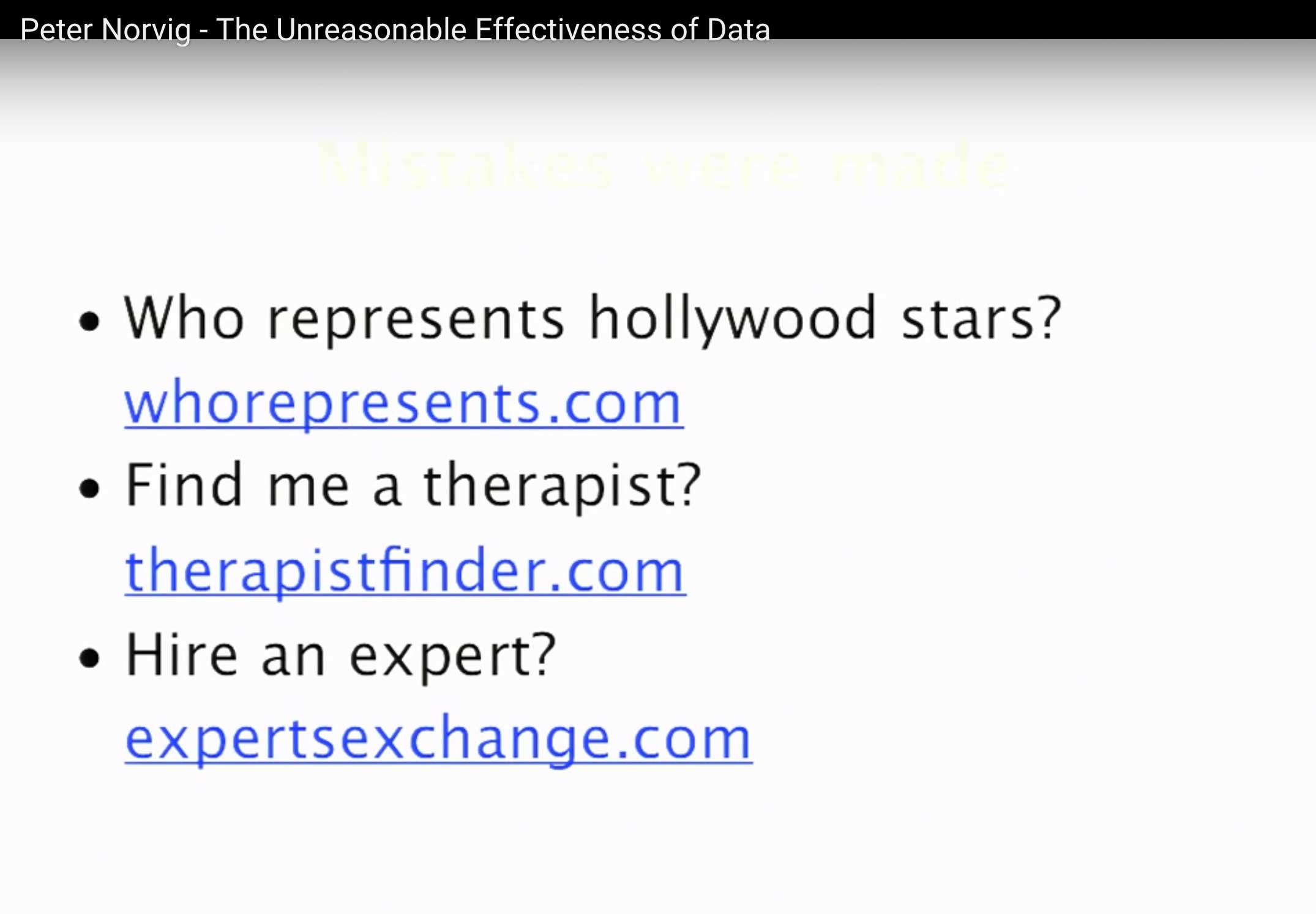
Check out Norvig’s homepage for a year’s worth of readings to study, including “How to Write a Spelling Corrector” and a much fuller explanation of ngrams.
1967 Tindallgram: 'A new spacecraft computer program development working philosophy is taking shape'
This morning I stumbled across this fantastic NASA history (Computers in Spaceflight: The NASA Experience) of the software and hardware development of the Apollo spacecraft. While the technology described is far outdated (“…the SUNDISK earth orbit program was complete, verified, and ready for core rope manufacture”), you could literally write a book of Medium posts arguing for/against agile/telecommuting/TDD/BDD/mythical-man-months/Node.js and back them up with direct quotes from the NASA writeup.
The following quote stuck out to me, near the end of the software writeup which describes how the tragic Apollo I accident gave programmers a chance to fix critically-flawed flight software that otherwise would have shipped:
[Bill] Tindall observed at the time, It is becoming evident that we are entering a new epoch regarding development of spacecraft computer programs. No longer would programs be declared complete in order to meet schedules, requiring the users to work around errors. Instead quality would be the primary consideration
Tindall, who was assigned as “NASA’s ‘watchdog’ for MIT software”, was famous for his “Tindallgrams”, “blunt memos regarding software development for Apollo.” The quote above comes from one titled: A new spacecraft computer program development working philosophy is taking shape.
You can find all of his memos at a site titled, “Tindallgrams: The snarky memos of Apollo’s unsung genius.” Having stumbled upon it just today, I’m amazed at what a historical resource it is, and apparently it’s a crowdsourced effort to convert the print memos to text, with its own Github repo.
Don't forget: The plural of anecdote is data
This purpose of this point is to preserve the true meaning of Raymond Wolfinger’s oft-misquoted aphorism.
Via the Internet Archive’s snapshot of this July 6, 2004 post on listserv.linguistlist.org:
Nelson W. Polsby PS, Vol. 17, No. 4. (Autumn, 1984), pp. 778-781. Pg. 779: Raymond Wolfinger’s brilliant aphorism “the plural of anecdote is data” never inspired a better or more skilled researcher.
I e-mailed Wolfinger last year and got the following response from him:
“I said ‘The plural of anecdote is data’ some time in the 1969-70 academic year while teaching a graduate seminar at Stanford. The occasion was a student’s dismissal of a simple factual statement–by another student or me–as a mere anecdote. The quotation was my rejoinder. Since then I have missed few opportunities to quote myself. The only appearance in print that I can remember is Nelson Polsby’s accurate quotation and attribution in an article in PS: Political Science and Politics in 1993; I believe it was in the first issue of the year.”
I also e-mailed Polsby, who didn’t know of any early printed occurrences.
What is interesting about this saying is that it seems to have morphed into its opposite – “Data is not the plural of anecdote” – in some people’s minds. Mark Mandel used it in this opposite sense in a private e-mail to me, for example.
Fred Shapiro
Hat tip: Revolutionary Analytics and Nate Silver/FiveThirtyEight.
I particularly like Silver’s riff on Wolfinger’s misunderstood quote:
You may have heard the phrase the plural of anecdote is not data. It turns out that this is a misquote. The original aphorism, by the political scientist Ray Wolfinger, was just the opposite: The plural of anecdote is data.
Wolfinger’s formulation makes sense: Data does not have a virgin birth. It comes to us from somewhere. Someone set up a procedure to collect and record it. Sometimes this person is a scientist, but she also could be a journalist.
And, conversely, I have to strongly disagree with RA’s David Smith:
So I’ve been using the quotation wrong all this time! I think I’m going to stick with “The plural of anecdote is not data”, though: the word “anecdote” to me suggests information surrendered, not collected, and it’s the implication of reporting bias that makes the quote so apposite for statisticians.
All data is information surrendered. Everything from the number of footsteps you take with a smartphone in your pocket, what you tell the Census taker, who you’ve chosen to vote for – the fact that you voted at all, to each tweet and Facebook post you create: the text, when you sent it, where you sent it from, and how long since the last time you sent one.
Knowing how data is implicitly and explicitly collected is fundamental to understanding its value and its limitations.
subscribe via RSS